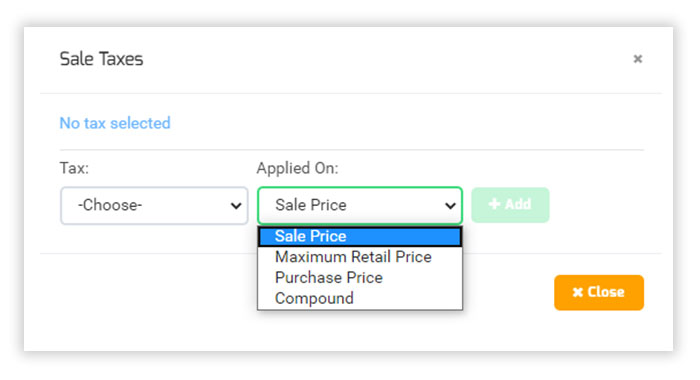
Tax in New Transaction​

You are here:
Estimated reading time: < 1 min

Tax in New Transaction

  1. In a transaction, you can add a tax on a product after selecting a product in a line item.
  2. Select tax by clicking “Add Tax” in the amount column.
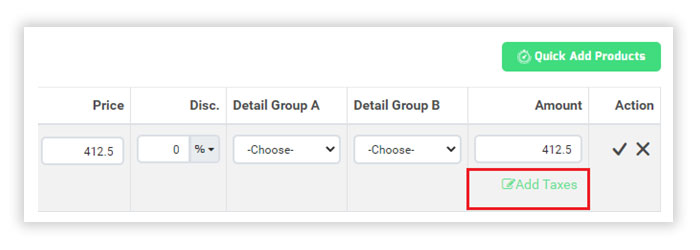
Add Tax

    1. Select Tax which is appropriate for the product.

    Select Tax

    1. You can apply multiple taxes on a single transaction on different prices as shown in the above image.
    2. Save the transaction once get completed.
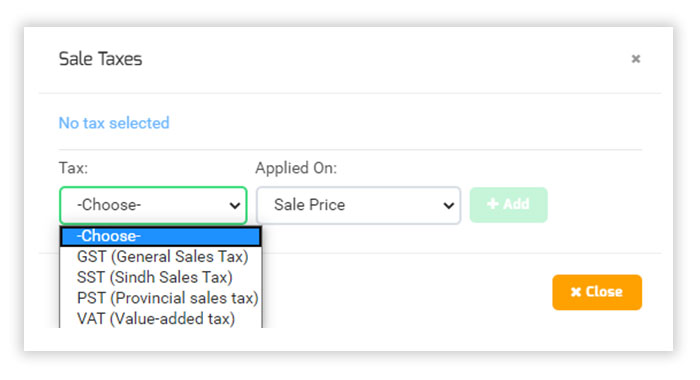
    Select Tax

Was this article helpful?
Dislike 0
Views: 54
===========

Need help?

We’ve seen that businesses like yours often need guidance choosing the right ERP. Our consultants can help you find the perfect solution.

============== Splendid Accounts Chat
Need Help?
Splendid Accounts AI Assistant · 24/7
Have a Question? Chat with us instantly on WhatsApp
👋 Welcome to Splendid Accounts, how can we help you today?