Bank Account

Estimated reading time: < 1 min

Add Bank Account

Add Bank Account

Steps:

  1. In the Accounts menu, select Bank accounts
  2. Click Add Bank Account
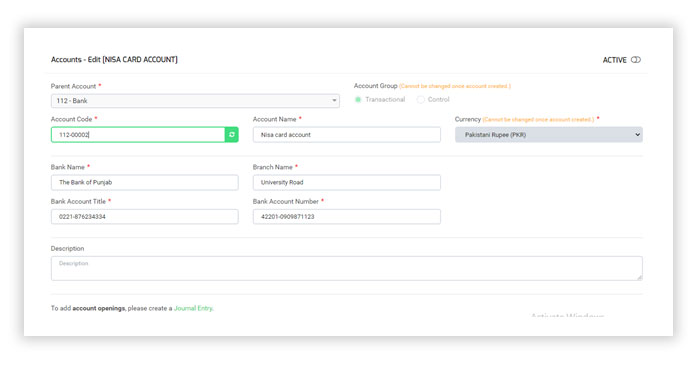
  3. Start making your account details
  4. Select Account Group either group transitional or Control
  5. Your account code will be generated automatically
  6. Enter your account name
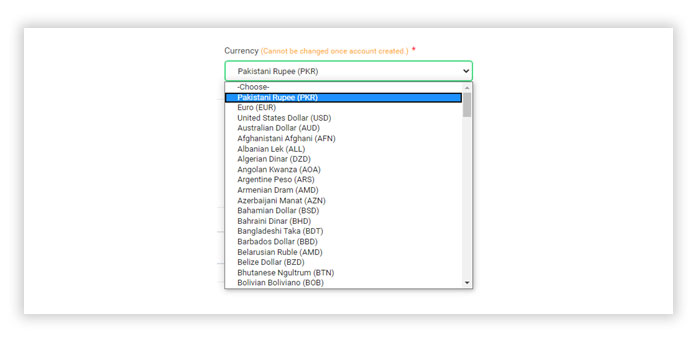
  7. Select any type of Currency

Add Bank Account

Was this article helpful?
Dislike 0
Views: 228
===========

Need help?

We’ve seen that businesses like yours often need guidance choosing the right ERP. Our consultants can help you find the perfect solution.

============== Splendid Accounts Chat
Need Help?
Splendid Accounts AI Assistant · 24/7
Have a Question? Chat with us instantly on WhatsApp
👋 Welcome to Splendid Accounts, how can we help you today?