Activate or deactivate users
You can activate or deactivate the already invited users if they are not part of the company or you don’t want them to access the specified company anymore by clicking roles icon at most right column.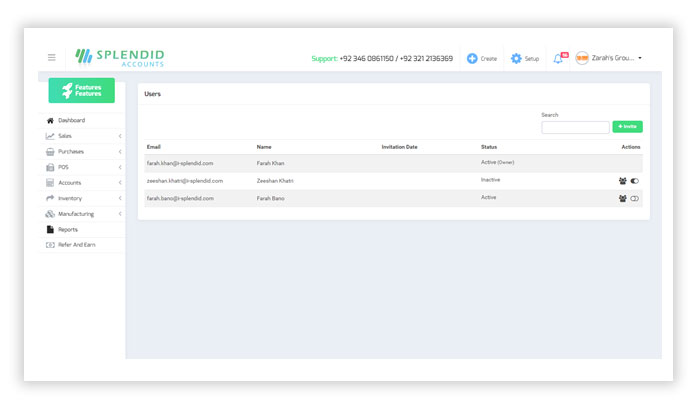

You can activate or deactivate the already invited users if they are not part of the company or you don’t want them to access the specified company anymore by clicking roles icon at most right column.